I have a lost/stolen mobile or have changed my mobile number. How do I update my authenticator app?
If you change mobile device or number then you will need to verify your ID and we can reset your MFA to begin the set-up process again and add TIS Self-Service to your authenticator app. Please contact your local NHSE office or england.tis.support@nhs.net and provide your GMC no. and brief description of the issue. Include screenshots if necessary as this will help us resolve the issue quickly and efficiently.
I have a lost/stolen mobile or have changed my mobile number. How do I update my SMS authenticator?
If you change mobile device or number then you will need to verify your ID and we can reset your MFA to begin the set-up process again and add SMS MFA. Please contact your local NHSE office or england.tis.support@nhs.net and provide your GMC no. and brief description of the issue. Include screenshots if necessary as this will help us resolve the issue quickly and efficiently.
When I sign in I get prompt to provide 6 digit code from my authenticator app?
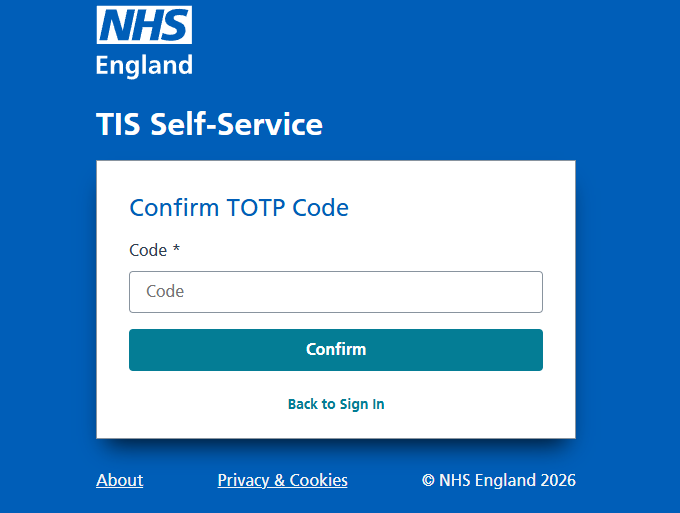
When you created an account and first signed into TIS Self-Service you would have set up MFA to use an authenticator app on your mobile device. Then each time you sign in you read the 6 digit code from your authenticator app and enter it when prompted to do so as shown above.
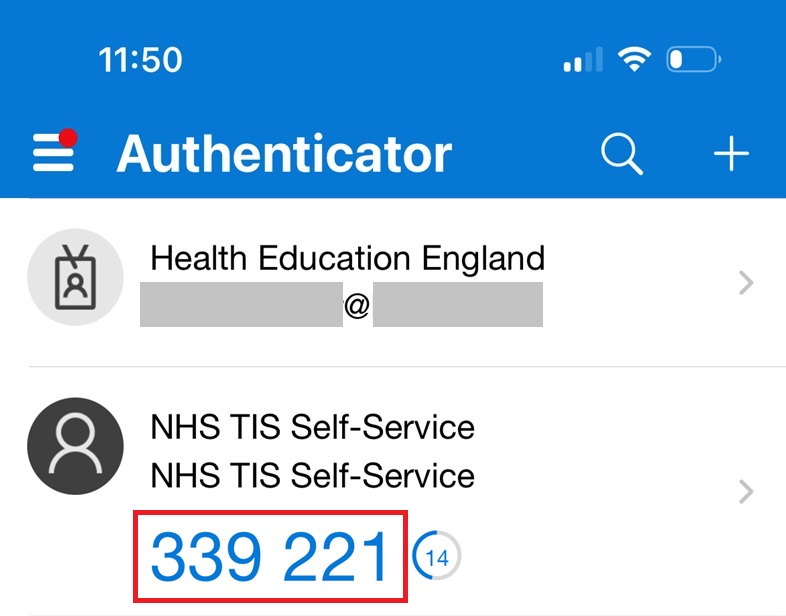
For example, the Microsoft Authenticator app on a mobile device will have an account called ‘NHS TIS Self-Service’ with a 6-digit number underneath that refreshes every 30 seconds:
Do I need to scan a QR code for authenticator app when I sign in?
No, you only scan a QR code when you initially set up the authenticator app. Once you have completed the set up process you are required to get the passcode from your authenticator app and enter it in TIS Self-Service when prompted to do so.